Keep secrets server-side
Never expose the Secret API Key or Webhook Secret in Client Components, browser code, or API responses.
 Developer Docs
A complete step by step guide for integrating JJuma payments into a Next.js application using secure server routes, checkout redirects, webhook verification, database transactions, idempotency, and UGX payment examples.
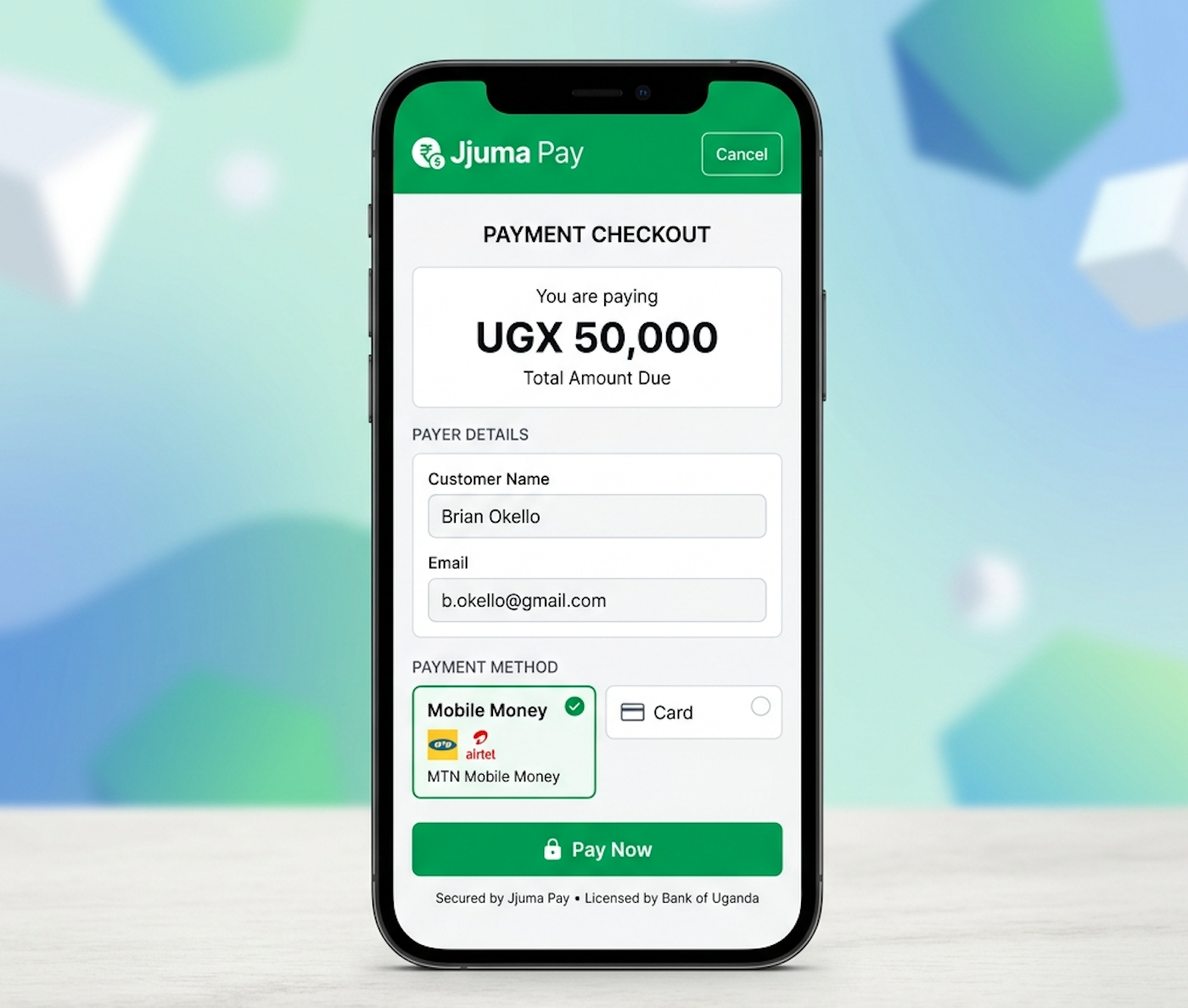
Keep protected credentials on the Next.js server only.
Jump directly to the parts of the Next.js guide you need.
Use the App Router and keep protected values on the server only.
SetupOrganize route handlers, server components, Prisma, and shared helpers.
ClientWrap create-payment and verification calls in one reusable helper.
PayCreate a payment, redirect to checkout, and keep redirects separate from confirmation.
WebhookRead the raw body, verify the signature, and process each payment only once.
ProdUse HTTPS, server-side config, and a production database.
JJuma protected payment operations must run on the Next.js server.
The browser must never directly receive the Secret API Key, Webhook Secret, protected authentication headers, or merchant database credentials.
This guide uses the Next.js App Router, Route Handlers, Server Components, server-side environment variables, Node.js crypto, and Prisma with a relational database example.
Merchants using the Pages Router can apply the same security principles through API routes, but the primary examples here use the App Router.
| Reference | Link |
|---|---|
| Authentication | /documentation#authentication |
| Create Payment | /documentation#create-payment |
| Webhooks | /documentation#webhooks |
| Testing | /documentation#testing |
jjuma-nextjs-integration/
├── .env.local
├── .env.example
├── package.json
├── prisma/
│   └── schema.prisma
└── src/
    ├── app/
    │   ├── api/
    │   │   ├── payments/
    │   │   │   └── create/
    │   │   │       └── route.ts
    │   │   └── webhooks/
    │   │       └── jjuma/
    │   │           └── route.ts
    │   ├── payment/
    │   │   ├── success/
    │   │   │   └── page.tsx
    │   │   └── cancelled/
    │   │       └── page.tsx
    │   └── checkout/
    │       └── page.tsx
    ├── lib/
    │   ├── env.ts
    │   ├── jjuma-client.ts
    │   ├── prisma.ts
    │   └── orders.ts
    └── components/
└── JjumaPaymentButton.tsx# .env.example
JJUMA_API_BASE_URL=https://api.jjuma.com
JJUMA_PUBLIC_API_KEY=bp_live_pub_your_public_key
JJUMA_SECRET_API_KEY=bp_live_sec_your_secret_key
JJUMA_WEBHOOK_SECRET=your_webhook_secret
JJUMA_CHECKOUT_HOST=pay.jjuma.com
DATABASE_URL=postgresql://user:password@localhost:5432/jjuma_pay
APP_URL=https://merchant.example.comexport const env = {
JJUMA_API_BASE_URL: process.env.JJUMA_API_BASE_URL ?? 'https://api.jjuma.com',
JJUMA_PUBLIC_API_KEY: process.env.JJUMA_PUBLIC_API_KEY ?? '',
JJUMA_SECRET_API_KEY: process.env.JJUMA_SECRET_API_KEY ?? '',
JJUMA_WEBHOOK_SECRET: process.env.JJUMA_WEBHOOK_SECRET ?? '',
JJUMA_CHECKOUT_HOST: process.env.JJUMA_CHECKOUT_HOST ?? 'pay.jjuma.com',
DATABASE_URL: process.env.DATABASE_URL ?? '',
APP_URL: process.env.APP_URL ?? 'https://merchant.example.com',
};generator client {
provider = "prisma-client-js"
}
datasource db {
provider = "postgresql"
url = env("DATABASE_URL")
}
model Order {
id String @id @default(cuid())
orderId String @unique
amount Decimal @db.Decimal(15, 2)
currency String @default("UGX")
paymentStatus String @default("pending")
jjumaTransactionId String? @unique
jjumaReference String?
paidAmount Decimal? @db.Decimal(15, 2)
paidAt DateTime?
createdAt DateTime @default(now())
updatedAt DateTime @updatedAt
}The order table should store the JJuma transaction ID, merchant reference, paid amount, currency, and payment timestamp so the webhook can update the order idempotently.
type JJumaResponse = {
  message?: string;
  data?: { payment_url?: string };
  payment_url?: string;
};

async function request(path: string, init: RequestInit) {
  const response = await fetch(`${env.JJUMA_API_BASE_URL}${path}`, {
    ...init,
    headers: {
      Accept: 'application/json',
      'Content-Type': 'application/json',
      ...(init.headers ?? {}),
    },
    cache: 'no-store',
  });

  const data = (await response.json()) as JJumaResponse;
  if (!response.ok) {
    throw new Error(data.message ?? 'The JJuma request failed.');
  }

  return data;
}

export async function createPayment(payload: Record) {
  return request('/api/v1/payments/create', {
    method: 'POST',
    headers: {
      Authorization: `Bearer ${env.JJUMA_PUBLIC_API_KEY}`,
    },
    body: JSON.stringify(payload),
  });
}

export async function verifyPayment(transactionId: string) {
  return request(`/api/v1/payments/verify/${encodeURIComponent(transactionId)}`, {
    method: 'GET',
    headers: {
      Authorization: `Bearer ${env.JJUMA_SECRET_API_KEY}`,
    },
  });
} import { prisma } from './prisma';
export async function getOrder(orderId: string) {
return prisma.order.findUnique({ where: { orderId } });
}
export async function markOrderPaid(args: {
orderId: string;
transactionId: string;
reference: string;
amount: string;
currency: string;
}) {
return prisma.$transaction(async (tx) => {
const order = await tx.order.findUnique({
where: { orderId: args.orderId },
});
if (!order || order.paymentStatus === 'paid') {
return null;
}
return tx.order.update({
where: { orderId: args.orderId },
data: {
paymentStatus: 'paid',
jjumaTransactionId: args.transactionId,
jjumaReference: args.reference,
paidAmount: args.amount,
paidAt: new Date(),
},
});
});
}import { NextResponse } from 'next/server';
import { createPayment } from '@/lib/jjuma-client';
import { getOrder } from '@/lib/orders';
import { env } from '@/lib/env';
export async function POST(request: Request) {
const formData = await request.formData();
const orderId = String(formData.get('orderId') ?? '').trim();
if (!orderId) {
return NextResponse.json({ message: 'Missing order ID.' }, { status: 400 });
}
const order = await getOrder(orderId);
if (!order) {
return NextResponse.json({ message: 'Order not found.' }, { status: 404 });
}
if (order.paymentStatus === 'paid') {
return NextResponse.json({ message: 'This order has already been paid.' }, { status: 409 });
}
const result = await createPayment({
amount: String(order.amount),
currency: String(order.currency).toUpperCase(),
description: `Payment for order ${orderId}`,
redirect_url: `${env.APP_URL}/payment/success?orderId=${encodeURIComponent(orderId)}`,
cancel_redirect_url: `${env.APP_URL}/payment/cancelled?orderId=${encodeURIComponent(orderId)}`,
webhook_url: `${env.APP_URL}/api/webhooks/jjuma`,
external_order_id: orderId,
idempotency_key: `order-${orderId}`,
});
const paymentUrl = result.data?.payment_url ?? result.payment_url ?? '';
if (!paymentUrl) {
return NextResponse.json({ message: 'JJuma did not return a payment URL.' }, { status: 502 });
}
const checkoutHost = new URL(paymentUrl).host;
if (checkoutHost !== env.JJUMA_CHECKOUT_HOST) {
return NextResponse.json({ message: 'Untrusted checkout destination.' }, { status: 502 });
}
return NextResponse.redirect(paymentUrl, 303);
}export function JjumaPaymentButton({ orderId }: { orderId: string }) {
return (
);
}import { JjumaPaymentButton } from '@/components/JjumaPaymentButton';
import { getOrder } from '@/lib/orders';
export default async function CheckoutPage({
searchParams,
}: {
searchParams: Promise<{ orderId?: string }>;
}) {
const { orderId = '' } = await searchParams;
const order = orderId ? await getOrder(orderId) : null;
if (!order) {
return <p>Order not found.</p>;
}
return (
<main>
<h1>Checkout</h1>
<p>Order reference: {order.orderId}</p>
<JjumaPaymentButton orderId={order.orderId} />
</main>
);
}export default function PaymentSuccessPage() {
return <main><h1>Payment received</h1><p>Your payment is being confirmed.</p></main>;
}export default function PaymentCancelledPage() {
return <main><h1>Payment not completed</h1><p>You can return and try again.</p></main>;
}import crypto from 'node:crypto';
import { NextResponse } from 'next/server';
import { env } from '@/lib/env';
import { markOrderPaid } from '@/lib/orders';
function isValidSignature(rawBody: string, timestamp: string, signature: string) {
const expected = crypto
.createHmac('sha256', env.JJUMA_WEBHOOK_SECRET)
.update(`${timestamp}.${rawBody}`)
.digest('hex');
const received = signature.replace(/^sha256=/i, '').trim();
const expectedBuffer = Buffer.from(expected, 'hex');
const receivedBuffer = Buffer.from(received, 'hex');
return expectedBuffer.length === receivedBuffer.length && crypto.timingSafeEqual(expectedBuffer, receivedBuffer);
}
export async function POST(request: Request) {
const rawBody = await request.text();
const signature = request.headers.get('X-Jjuma-Signature')?.trim() ?? '';
const timestamp = request.headers.get('X-Jjuma-Timestamp')?.trim() ?? '';
if (!rawBody || !signature || !timestamp) {
return NextResponse.json({ message: 'Missing webhook data.' }, { status: 400 });
}
if (Number.isNaN(Date.parse(timestamp))) {
return NextResponse.json({ message: 'Invalid webhook timestamp.' }, { status: 401 });
}
if (!isValidSignature(rawBody, timestamp, signature)) {
return NextResponse.json({ message: 'Invalid webhook signature.' }, { status: 401 });
}
const event = JSON.parse(rawBody) as {
event?: string;
data?: {
order_id?: string;
transaction_id?: string;
reference?: string;
amount?: string | number;
currency?: string;
};
};
const eventName = String(event.event ?? '').trim();
const payment = event.data ?? {};
if (!['payment.completed', 'payment.failed', 'payment.cancelled'].includes(eventName)) {
return NextResponse.json({ status: 'ignored' });
}
if (eventName !== 'payment.completed') {
return NextResponse.json({ status: 'ok' });
}
if (!payment.order_id || !payment.transaction_id || !payment.reference || !payment.amount || !payment.currency) {
return NextResponse.json({ message: 'Completed payment is missing required fields.' }, { status: 400 });
}
await markOrderPaid({
orderId: payment.order_id,
transactionId: payment.transaction_id,
reference: payment.reference,
amount: String(payment.amount),
currency: String(payment.currency).toUpperCase(),
});
return NextResponse.json({ status: 'ok' });
}| HTTP status | Meaning |
|---|---|
| 200 OK | Event verified and processed, ignored safely, or already processed |
| 400 Bad Request | Invalid JSON or missing payment data |
| 401 Unauthorized | Invalid signature or timestamp |
| 405 Method Not Allowed | Request method is not POST |
| 500 Internal Server Error | Temporary server or database error |
X-Jjuma-Signature, X-Jjuma-Timestamp, X-Jjuma-Event, and X-Jjuma-Delivery-Id. Signing format: HMAC SHA256 over timestamp.raw_body with the webhook secret. Confirmed payment events: payment.completed, payment.failed, and payment.cancelled.
if (order.paymentStatus === 'paid') {
  return NextResponse.json({ status: 'already_processed' }, { status: 200 });
}import { verifyPayment } from '@/lib/jjuma-client';
const verification = await verifyPayment(transactionId);
if (!verification.data?.payment_url && !verification.payment_url) {
throw new Error('Payment verification failed.');
}The signed webhook remains the primary source of truth. Use the verification endpoint as a secondary check after the webhook arrives.
1. Create a test order in the database.
2. Open the Next.js checkout page in a browser.
3. Submit the payment form and confirm the server route redirects to the JJuma checkout URL.
4. Use a signed webhook payload to hit /api/webhooks/jjuma.
5. Confirm the order is updated once.
6. Send the same webhook again and confirm duplicate protection.
7. Check invalid signatures, invalid JSON, and missing fields return the documented errors.Never expose the Secret API Key or Webhook Secret in Client Components, browser code, or API responses.
Use the original request body, verify the timestamp, and compare the signature with timing-safe logic.
Load the amount and currency from the database and reject browser-submitted pricing.
Store the JJuma transaction ID and use transactions or row locks before updating the order.
The customer opens the Next.js checkout page, the server loads the order, creates a JJuma payment, redirects to the hosted checkout page, receives a signed webhook, verifies the raw body and timestamp, validates the amount and currency, updates the database once, and then shows the success or cancelled page.