
WordPress Integration
A complete step by step guide for integrating JJuma payments into a WordPress website using a secure custom plugin, checkout redirects, signed webhooks, duplicate protection, and UGX payment examples.
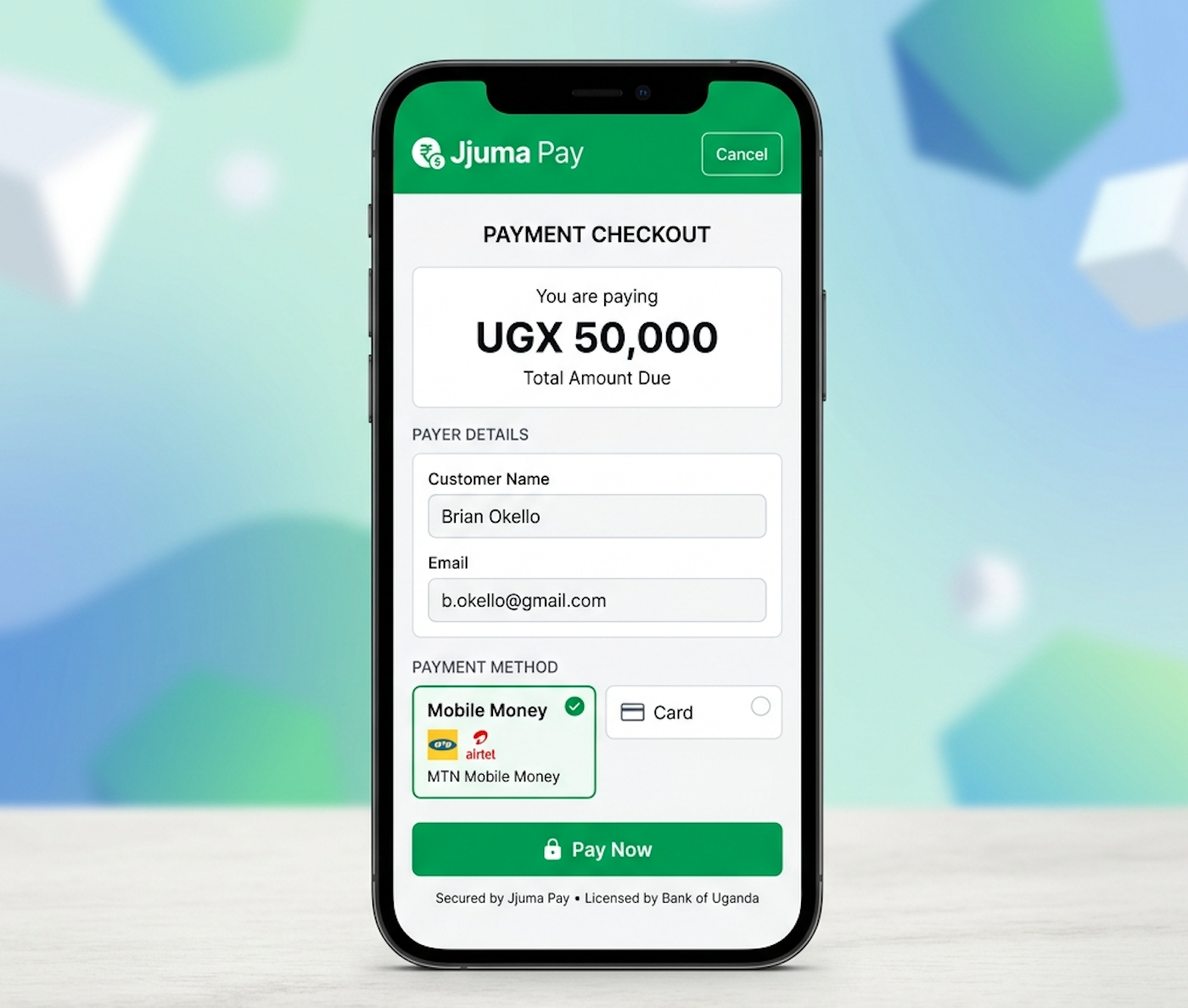
Keep protected credentials on the WordPress server only.
Table of Contents
Jump directly to the parts of the WordPress guide you need.
Introduction
Use a custom plugin and keep credentials out of theme files and page builders.
SetupPlugin Structure
Organize the bootstrap file, config, client, order service, and webhook controller.
ClientJJuma API Client
Wrap payment creation and verification in one reusable server-side client.
PayCheckout Flow
Create a payment, redirect to checkout, and keep redirects separate from confirmation.
WebhookSigned Webhooks
Read the raw body, verify the signature, and process each payment only once.
ProdProduction Prep
Use HTTPS, server-side config, and a production web server.
Introduction
The safest way to integrate JJuma into WordPress is through a custom plugin.
Do not place the full integration inside functions.php, a page builder HTML widget, frontend JavaScript, a theme template, or a code snippet that exposes credentials.
Theme files can be replaced during updates, and frontend code can expose your API credentials. Keep payment logic on the server and use WordPress only for rendering the checkout button and handling redirects.
Recommended Plugin Structure
wp-content/
└── plugins/
    └── jjuma-wordpress-payments/
        ├── jjuma-wordpress-payments.php
        ├── includes/
        │   ├── class-jjuma-config.php
        │   ├── class-jjuma-api-client.php
        │   ├── class-jjuma-payment-handler.php
        │   ├── class-jjuma-webhook-controller.php
        │   └── class-jjuma-order-service.php
        ├── templates/
        │   ├── payment-form.php
        │   ├── payment-success.php
        │   └── payment-cancelled.php
└── uninstall.php| File | Purpose |
|---|---|
jjuma-wordpress-payments.php | Plugin bootstrap file that loads classes, registers hooks, shortcodes, payment handlers, and the webhook route. |
class-jjuma-config.php | Reads and validates the JJuma API configuration. |
class-jjuma-api-client.php | Sends secure server-side requests to JJuma using the WordPress HTTP API. |
class-jjuma-payment-handler.php | Creates a merchant payment, handles redirects, and registers the shortcode. |
class-jjuma-webhook-controller.php | Receives REST webhook requests, verifies signatures, and updates orders. |
class-jjuma-order-service.php | Loads and updates merchant orders safely. |
Plugin Bootstrap and Configuration
<?php
/*
Plugin Name: JJuma WordPress Payments
*/

defined('ABSPATH') || exit;

require_once __DIR__ . '/includes/class-jjuma-config.php';
require_once __DIR__ . '/includes/class-jjuma-api-client.php';
require_once __DIR__ . '/includes/class-jjuma-order-service.php';
require_once __DIR__ . '/includes/class-jjuma-payment-handler.php';
require_once __DIR__ . '/includes/class-jjuma-webhook-controller.php';

add_action('plugins_loaded', static function (): void {
    JJuma_Payment_Handler::init();
    JJuma_Webhook_Controller::init();
});<?php
class JJuma_Config
{
public static function get(): array
{
return [
'api_base_url' => rtrim(get_option('jjuma_api_base_url', 'https://api.jjuma.com'), '/'),
'public_key' => (string) get_option('jjuma_public_key', ''),
'secret_key' => (string) get_option('jjuma_secret_key', ''),
'webhook_secret' => (string) get_option('jjuma_webhook_secret', ''),
'checkout_host' => (string) get_option('jjuma_checkout_host', 'pay.jjuma.com'),
];
}
}Reusable JJuma API Client
Use the WordPress HTTP API from the server only. Public keys are used for create-payment requests. Secret keys are only for backend verification and other protected server-side operations.
<?php

class JJuma_Api_Client
{
    private array $config;

    public function __construct()
    {
        $this->config = JJuma_Config::get();
    }

    public function create_payment(array $payload): array
    {
        return $this->request('POST', '/api/v1/payments/create', $this->config['public_key'], $payload);
    }

    public function verify_payment(string $transaction_id): array
    {
        return $this->request('GET', '/api/v1/payments/verify/' . rawurlencode($transaction_id), $this->config['secret_key']);
    }

    private function request(string $method, string $endpoint, string $token, array $payload = []): array
    {
        $args = [
            'method' => $method,
            'timeout' => 30,
            'headers' => [
                'Authorization' => 'Bearer ' . $token,
                'Content-Type' => 'application/json',
                'Accept' => 'application/json',
            ],
        ];

        if ($method === 'POST') {
            $args['body'] = wp_json_encode($payload);
        }

        $response = wp_remote_request(rtrim($this->config['api_base_url'], '/') . $endpoint, $args);
        if (is_wp_error($response)) {
            throw new RuntimeException($response->get_error_message());
        }

        $body = json_decode((string) wp_remote_retrieve_body($response), true);
        if (!is_array($body)) {
            throw new RuntimeException('JJuma returned an invalid response.');
        }

        return $body;
    }
}
Order Service
<?php

class JJuma_Order_Service
{
    public function get_order(string $order_id): ?array
    {
        global $wpdb;
        $table = $wpdb->prefix . 'jjuma_orders';
        return $wpdb->get_row($wpdb->prepare("SELECT * FROM {$table} WHERE order_id = %s", $order_id), ARRAY_A) ?: null;
    }

    public function mark_paid(string $order_id, string $transaction_id, string $reference, string $amount, string $currency): bool
    {
        global $wpdb;
        $table = $wpdb->prefix . 'jjuma_orders';
        return (bool) $wpdb->update($table, [
            'payment_status' => 'paid',
            'jjuma_transaction_id' => $transaction_id,
            'jjuma_reference' => $reference,
            'paid_amount' => $amount,
            'paid_currency' => strtoupper($currency),
        ], ['order_id' => $order_id]);
    }
}Payment Handler and Shortcode
The shortcode should render the button, but the server must create the JJuma payment and return the checkout URL.
<?php

class JJuma_Payment_Handler
{
    public static function init(): void
    {
        add_shortcode('jjuma_payment_button', [self::class, 'render_shortcode']);
        add_action('admin_post_nopriv_jjuma_create_payment', [self::class, 'create_payment']);
        add_action('admin_post_jjuma_create_payment', [self::class, 'create_payment']);
    }

    public static function render_shortcode(array $atts = []): string
    {
        $order_id = sanitize_text_field((string) ($atts['order_id'] ?? ''));
        ob_start();
        include plugin_dir_path(__FILE__) . '../templates/payment-form.php';
        return (string) ob_get_clean();
    }
}<?php // templates/payment-form.php
if ($order_id === '') {
return;
}
?>
<form method="post" action="<?php echo esc_url(admin_url('admin-post.php')); ?>">
<input type="hidden" name="action" value="jjuma_create_payment">
<input type="hidden" name="order_id" value="<?php echo esc_attr($order_id); ?>">
<button type="submit">Pay with JJuma</button>
</form><?php // templates/payment-success.php
<h1>Payment received</h1>
<p>Your payment has been submitted. We are confirming the transaction.</p>
<?php // templates/payment-cancelled.php
<h1>Payment not completed</h1>
<p>Your payment was not completed. You can return and try again.</p>WordPress REST Webhook
Read the original request body and verify the signature before parsing or saving anything.
<?php

class JJuma_Webhook_Controller
{
    public static function init(): void
    {
        add_action('rest_api_init', static function (): void {
            register_rest_route('jjuma/v1', '/webhook', [
                'methods' => 'POST',
                'callback' => [self::class, 'handle'],
                'permission_callback' => '__return_true',
            ]);
        });
    }

    public static function handle(WP_REST_Request $request): WP_REST_Response
    {
        $signature = trim((string) $request->get_header('X-Jjuma-Signature'));
        $timestamp = trim((string) $request->get_header('X-Jjuma-Timestamp'));
        $raw_body = file_get_contents('php://input') ?: '';

        if ($signature === '' || $timestamp === '' || $raw_body === '') {
            return new WP_REST_Response(['message' => 'Missing webhook data.'], 400);
        }

        $secret = JJuma_Config::get()['webhook_secret'];
        $expected = hash_hmac('sha256', $timestamp . '.' . $raw_body, $secret);
        $received = preg_replace('/^sha256=/i', '', $signature) ?? '';

        if (!hash_equals($expected, $received)) {
            return new WP_REST_Response(['message' => 'Invalid webhook signature.'], 401);
        }

        $event = json_decode($raw_body, true);
        if (!is_array($event)) {
            return new WP_REST_Response(['message' => 'Invalid webhook JSON.'], 400);
        }

        return new WP_REST_Response(['status' => 'ok'], 200);
    }
}| Header | Use |
|---|---|
X-Jjuma-Signature | HMAC signature, prefixed with sha256=. |
X-Jjuma-Timestamp | ISO 8601 timestamp with timezone information. |
X-Jjuma-Event | Payment event name. |
X-Jjuma-Delivery-Id | Unique delivery identifier. |
timestamp.raw_body with HMAC SHA256 and the webhook secret. Confirmed payment events are payment.completed, payment.failed, and payment.cancelled.
Payment Validation
- Validate the webhook signature and timestamp before parsing anything.
- Accept only completed payment events for paid orders.
- Confirm the order exists and is still unpaid.
- Compare the confirmed amount, currency, merchant reference, and transaction ID with the stored order.
- Reject browser-submitted payment values.
Duplicate Protection
update_post_meta($order_id, '_jjuma_transaction_id', $transaction_id);
if (get_post_meta($order_id, '_jjuma_payment_status', true) === 'paid') {
    return new WP_REST_Response(['message' => 'Already processed.'], 200);
}- Store the transaction ID once.
- Reject repeated webhook deliveries safely.
- Never credit the same order twice.
Optional Verification
$client = new JJuma_Api_Client();
$verification = $client->verify_payment($transaction_id);
if (($verification['status'] ?? '') !== 'success') {
    throw new RuntimeException('Payment verification failed.');
}
The signed webhook is the primary source of truth. Use the verification endpoint as a secondary check after the webhook arrives.
Optional WooCommerce Guidance
If your store already uses WooCommerce, map the verified JJuma payment to the WooCommerce order record, update the order status from the webhook only, and keep the checkout button or payment link generation inside your plugin.
Testing the Full Flow
1. Create a test order in WordPress.
2. Render the JJuma shortcode on a page.
3. Submit the order from the server.
4. Confirm the customer is redirected to the JJuma checkout URL.
5. Trigger the success and cancel pages.
6. Deliver a signed webhook to the REST route.
7. Verify the order updates once.
8. Repeat the webhook and confirm duplicate protection.- A valid unpaid order creates a payment and redirects to a trusted checkout URL.
- Invalid signatures, expired timestamps, and invalid JSON return the right errors.
- A valid webhook marks the order paid.
Troubleshooting Common Problems
- Webhook signature invalid: check the raw body, webhook secret, timestamp format, and any proxy that rewrites the request body.
- Payment creation unauthorized: check the Bearer header, public key, and JJuma base URL.
- Checkout redirects to the wrong domain: validate the returned URL before redirecting.
- Customer returns but order stays pending: the redirect is not confirmation; check the webhook route and selected events.
- Payment processed twice: check duplicate protection and repeated webhook handling.
Production Preparation
- Run the plugin on a production WordPress install.
- Use HTTPS.
- Keep credentials in server-side options or environment-backed configuration.
- Keep the raw webhook body unchanged.
- Forward webhook headers unchanged.
- Monitor logs and update the plugin with WordPress core updates.
Security Checklist
Keep credentials server-side
Never expose protected values in templates, theme files, or frontend JavaScript.
Verify raw webhook body
Use the original bytes sent by JJuma.
Validate payment values
Read amount and currency from the database.
Prevent duplicates
Store the transaction ID and reject repeated deliveries.
Final Integration Checklist
Full Payment Flow
Customer clicks the JJuma shortcode button, WordPress loads the order, creates a payment, redirects to the JJuma checkout URL, receives a signed webhook, verifies the raw body and timestamp, validates the order amount and currency, updates the database once, and then returns the customer to the success or cancel page.